Reimagining interaction with smart home devices
ATOMBERG • 2023
Overview
Atomberg, a smart home application primarily centered around fans, needs an application revamp to bridge the gap between their current technology and user experience, ensuring a seamless and modern smart living experience.
Timeline
5 Weeks
Tools
Figma | Miro | Illustrator
My Role
UI/UX designer (Generalist)
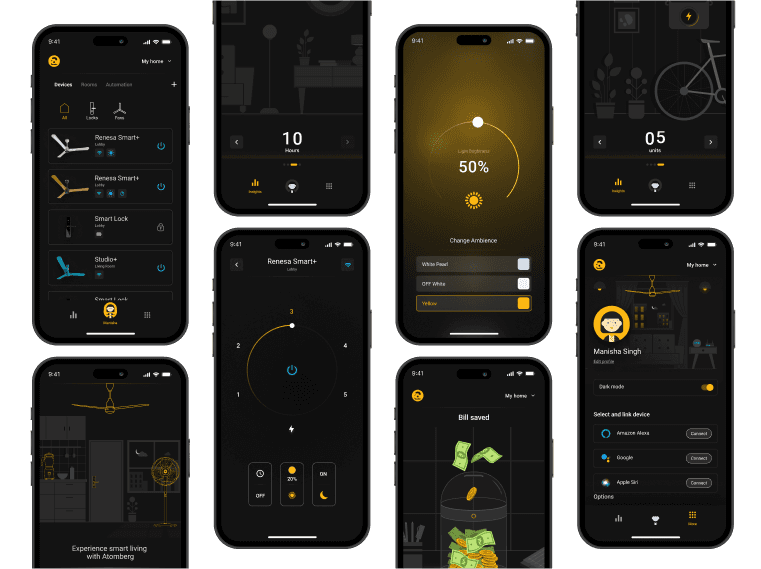
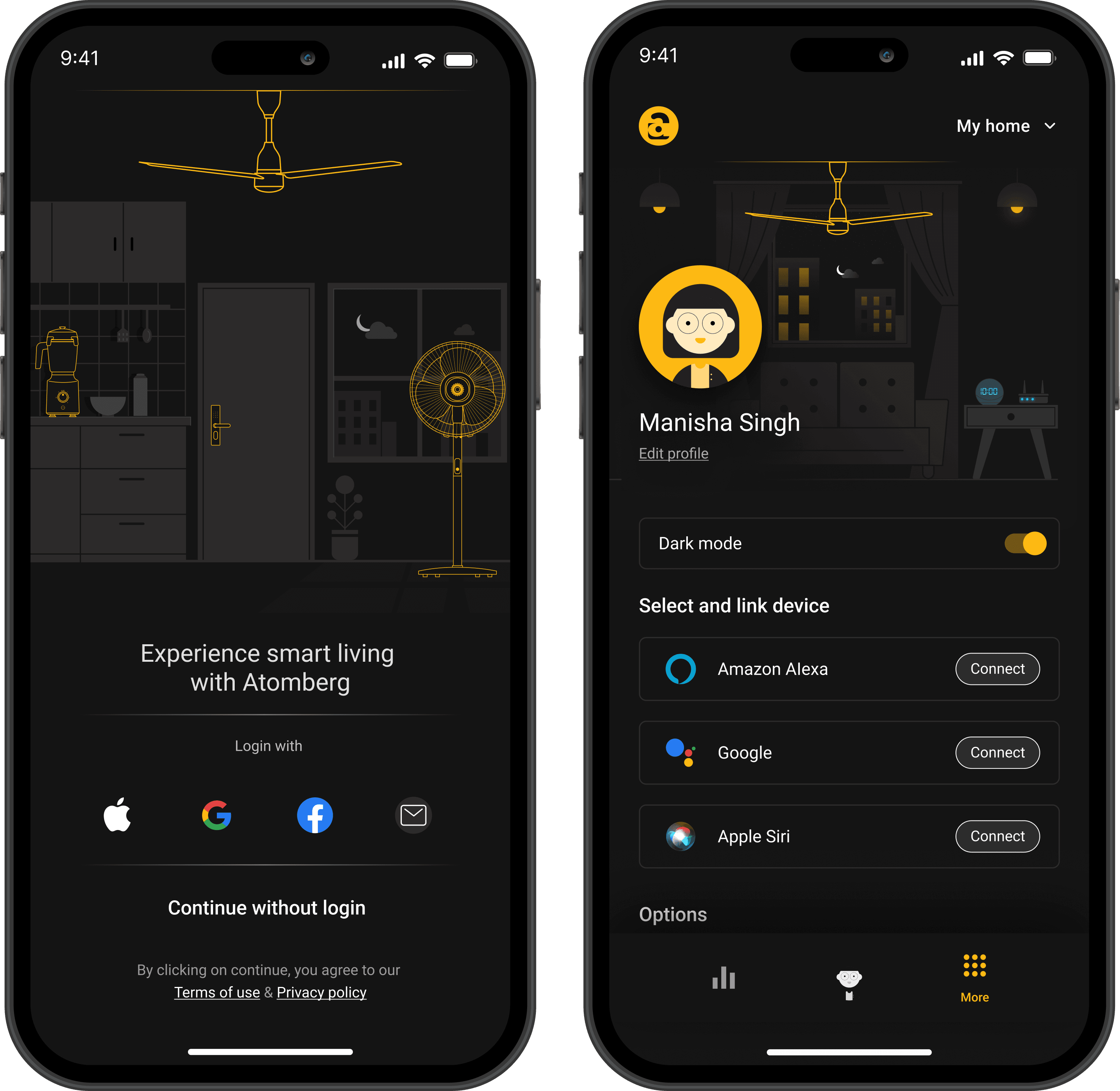
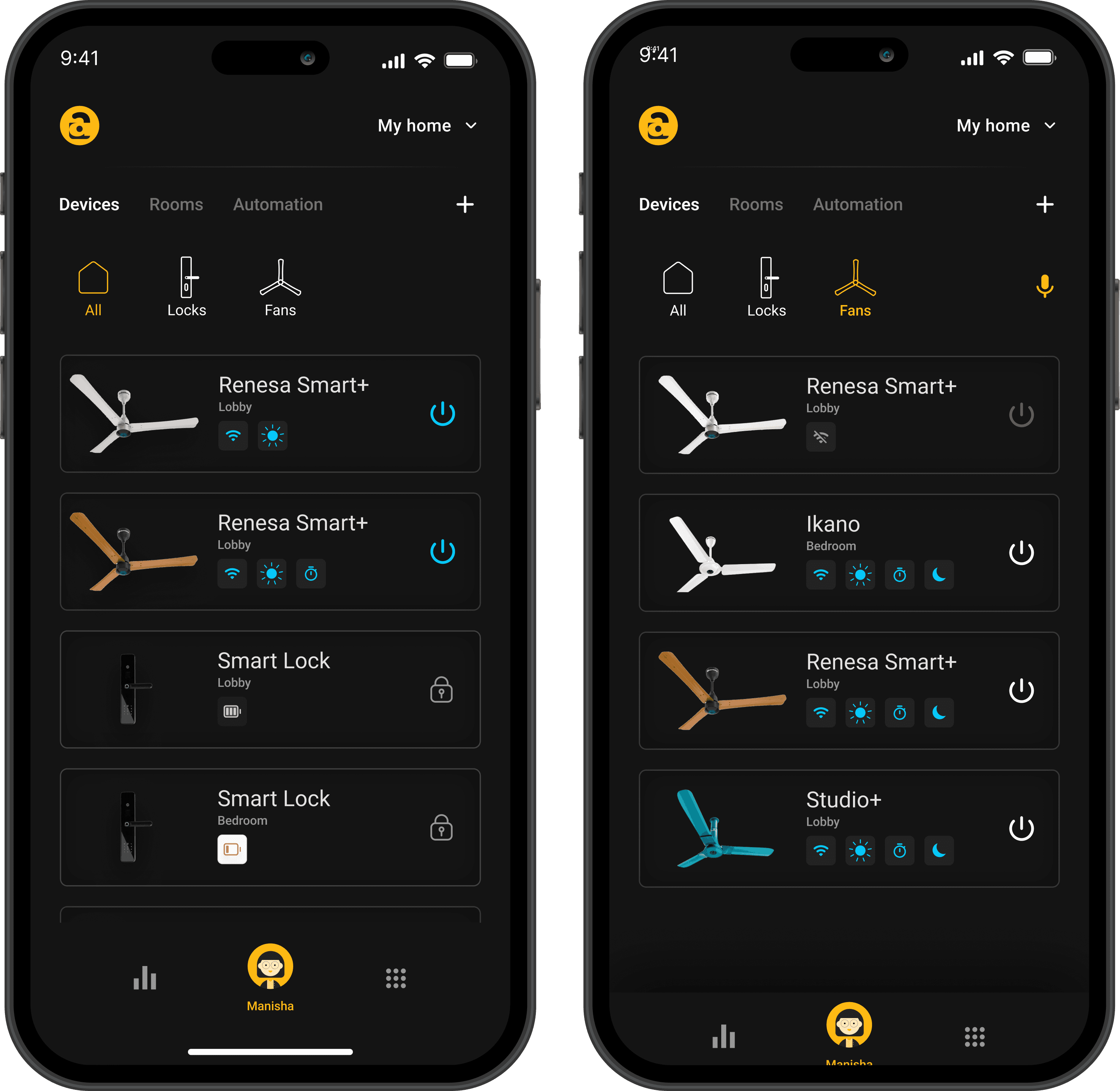
Designing home screen that encourages as quick access to any connected device.
Quick overview of the connected devices along with access to key functions
Sorting systems to find any device easily
Navigation to other functions of the app
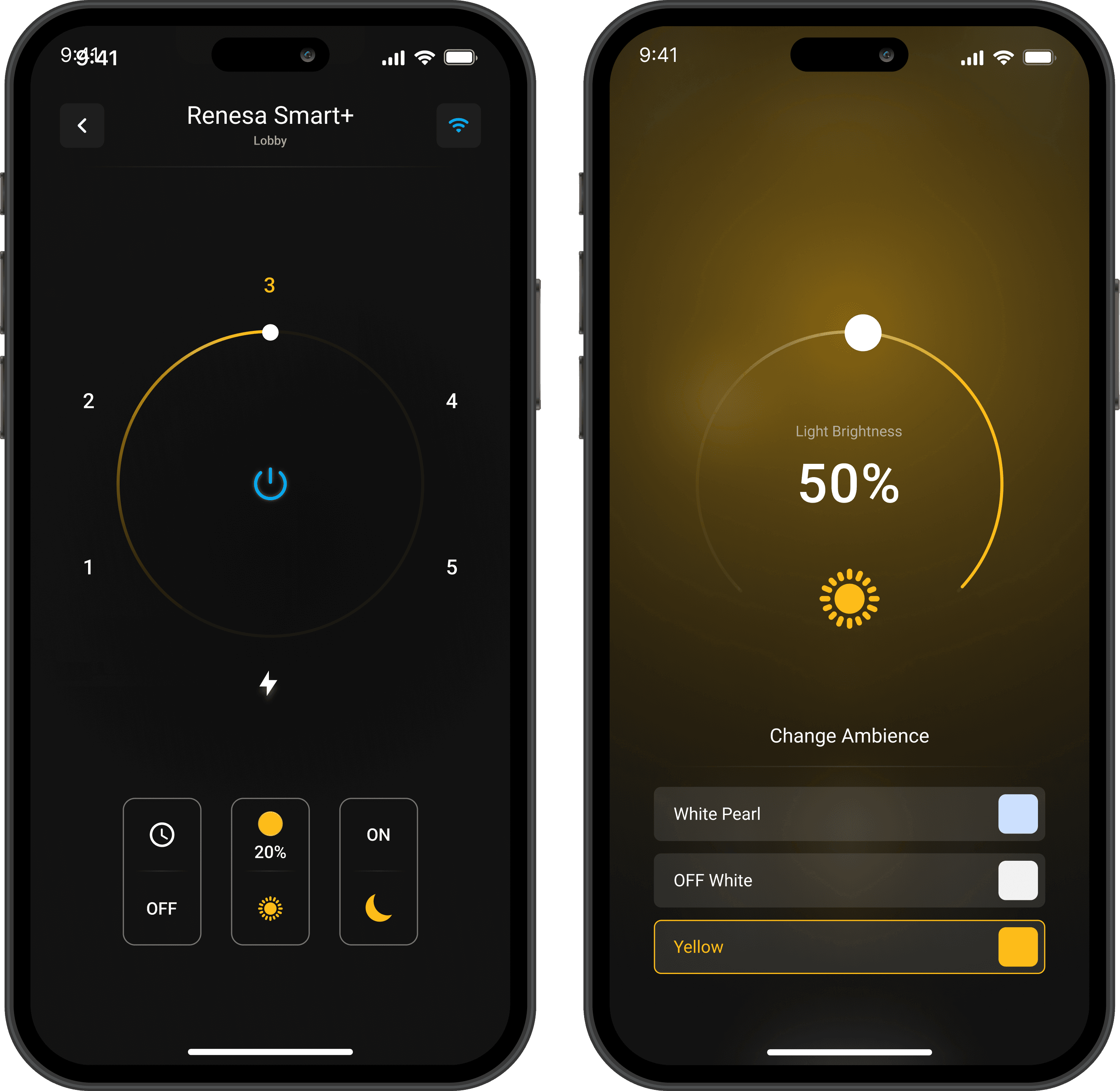
Reimagining the remote screen for the Atomberg Fan
To create a remote screen that is intuitive and has all the features of the device without making the user feel overwhelmed with a lot.
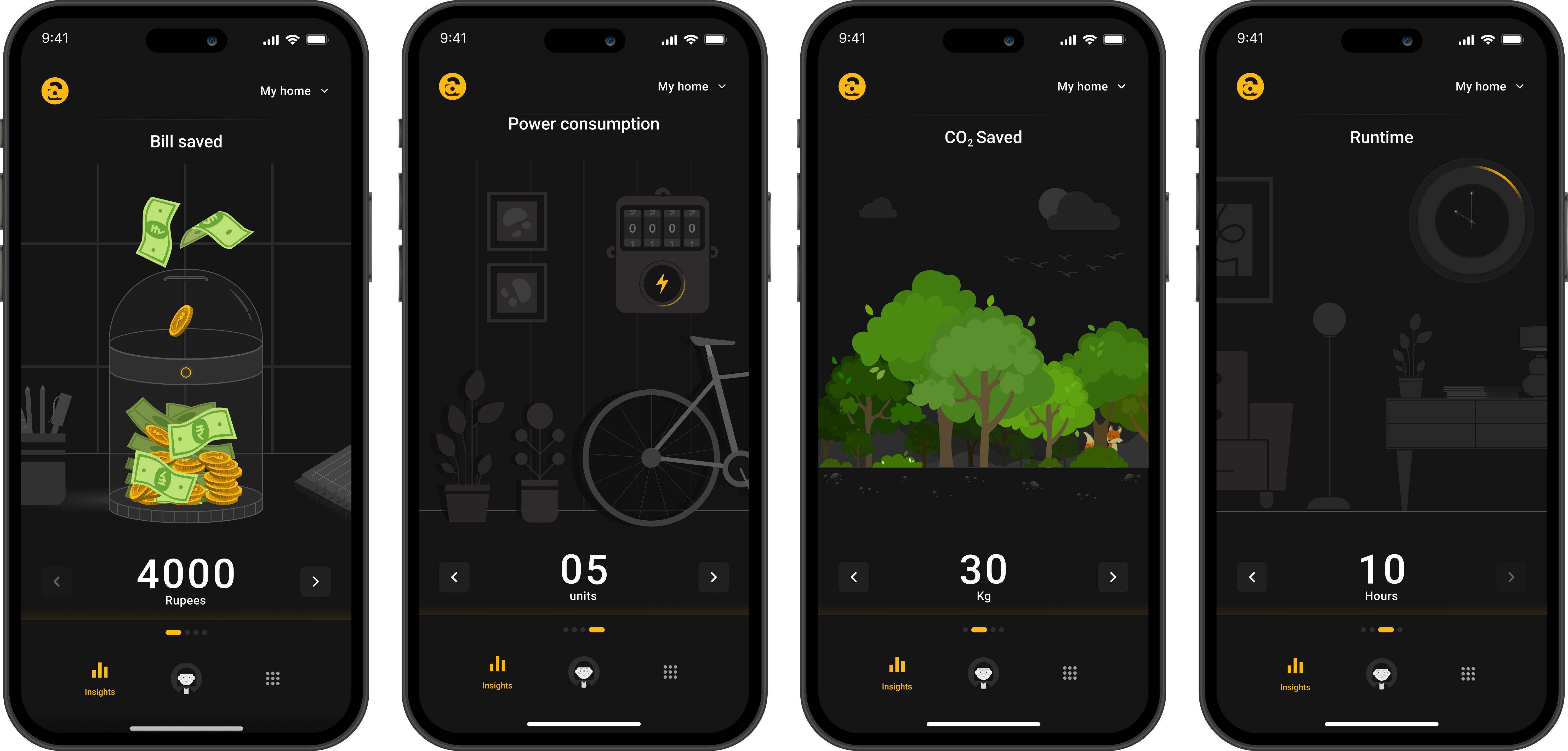
Emphasizing on the Analytics screens by enabling the users to get an immersive experience while reviewing the stats
Visual Priming
Adding a curiosity gap
Decrease the cognitive load
Sense of gamification
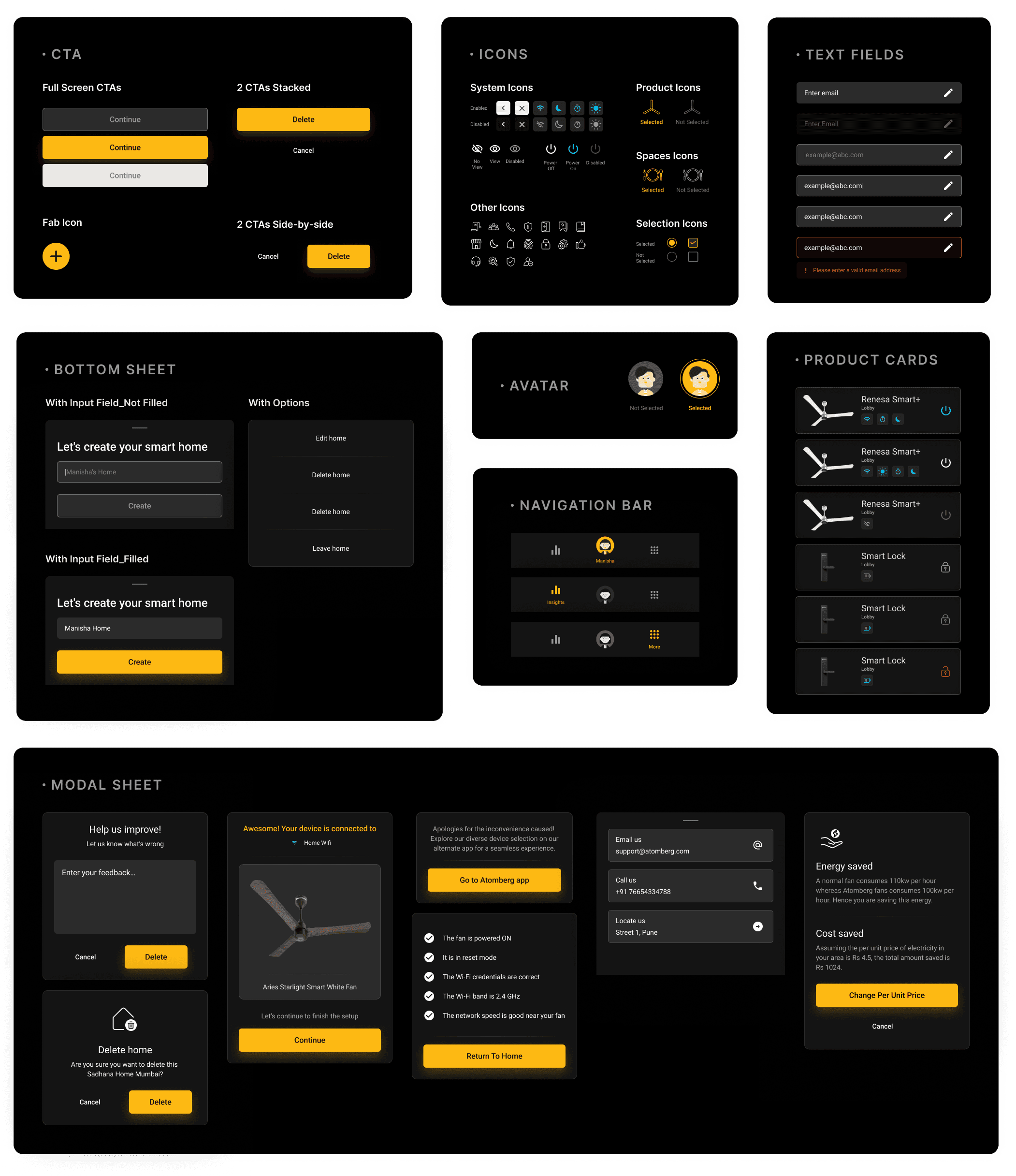
IconogIconography of the spacesraphy of the spaces
Top Navigation: Consists of different routes to navigate to any device.
Middle Segment: The cards have a quick access to the key functionalities to save time and effort of the user.
Bottom navigation: Consists of three prime options to reduce cognitive load.
Home screen that encourages a quick access to all devices and primary functions with minimum click stream
Top Navigation: Consists of different routes to navigate to any device.
Middle Segment: The cards have a quick access to the key functionalities to save time and effort of the user.
Bottom navigation: Consists of three prime options to reduce cognitive load.
Remote screen keeping user convenience and scalability in mind.
Stats of all the functions on the main screen
for a user to take an informed action
Similar UI ideation for the secondary screens
to balance the cognitive load and learnability.
Different visual style for Wifi and settings button
to define their hierarchy.
Stats of all the functions on the main screen
for a user to take an informed action
Similar UI ideation for the secondary screens
to balance the cognitive load and learnability.
Different visual style for Wifi and settings button
to define their hierarchy.